Rob Swan
Listing Local Business: 2026 Guide to GBP & Citations

If you run a heating, plumbing, electrical, or roofing shop in a smaller town, you've probably had this moment already. The phone rings less than the shop down the road, even though your trucks are cleaner, your reviews are better, and you've been there longer. The difference is often not the work, it's the listing.
A strong local business listing is no longer a directory formality. It's the record Google uses to decide whether you're the obvious choice when someone searches near me, open now, or a service they need today. That matters because 46% of Google searches have local intent, 76% of smartphone local searches lead to a business visit within 24 hours, and 28% result in a purchase (local marketing statistics). For trades, that's the buying journey, not the branding funnel.
Headline number: 76% of people who perform a local search on a smartphone visit a business within 24 hours (local marketing statistics).
That urgency is why Google Maps has become such a dominant discovery channel. One source reports that 86% of consumers use Google Maps to find a local business, and complete Google Business Profiles are 2.7 times more likely to be considered reputable by customers (Google My Business statistics roundup). In plain terms, the listing now carries trust, visibility, and conversion weight at the same time.
Table of Contents
- Why Listing a Local Business Still Matters in 2026
- Claiming and Verifying Your Core Listing
- Choosing Categories That Match Real Demand
- Configuring Service Areas and Service Lists for Trades
- Building Citations Without Wasting Time
- Photos, Reviews, and a Monthly Rhythm
- Common Listing Mistakes Trades Make and a Fix-First Plan
Why Listing a Local Business Still Matters in 2026
A small-town HVAC owner usually notices the problem when the phone stops ringing on the same days the shop down the road is booked solid. Both companies may be licensed, both may do decent work, and both may serve the same county, but the one with the cleaner listing and stronger map presence wins the urgent searches. In local search, that difference turns into calls, direction requests, and booked jobs.
The commercial shift is obvious once you look at how customers behave online. 46% of Google searches have local intent, which means almost half of the demand touching your business starts with a place-based query, not a brand search (local marketing statistics). The old directory model, where businesses tried to appear everywhere, has given way to Google-centric profile management, where one profile can drive discovery, trust, and action in a single screen (Google My Business statistics roundup).
A complete profile isn't just prettier, it's easier for customers to trust and easier for Google to reconcile.
That trust matters. Complete Google Business Profiles are 2.7 times more likely to be considered reputable by customers (Google My Business statistics roundup). On a roofing call after a storm or a no-heat call in winter, reputation and visibility blend together fast. The listing becomes the front door.
For rural and smaller-market trades, the payoff is sharper than in broad metro SEO. A customer looking for a plumber in a town of 8,000 isn't comparing fifty firms. They're choosing from a small set of map results, and the one with correct hours, clear service areas, and a verified profile looks like the safer call. That's why listing local business has become a core operational task, not a marketing extra.
Claiming and Verifying Your Core Listing
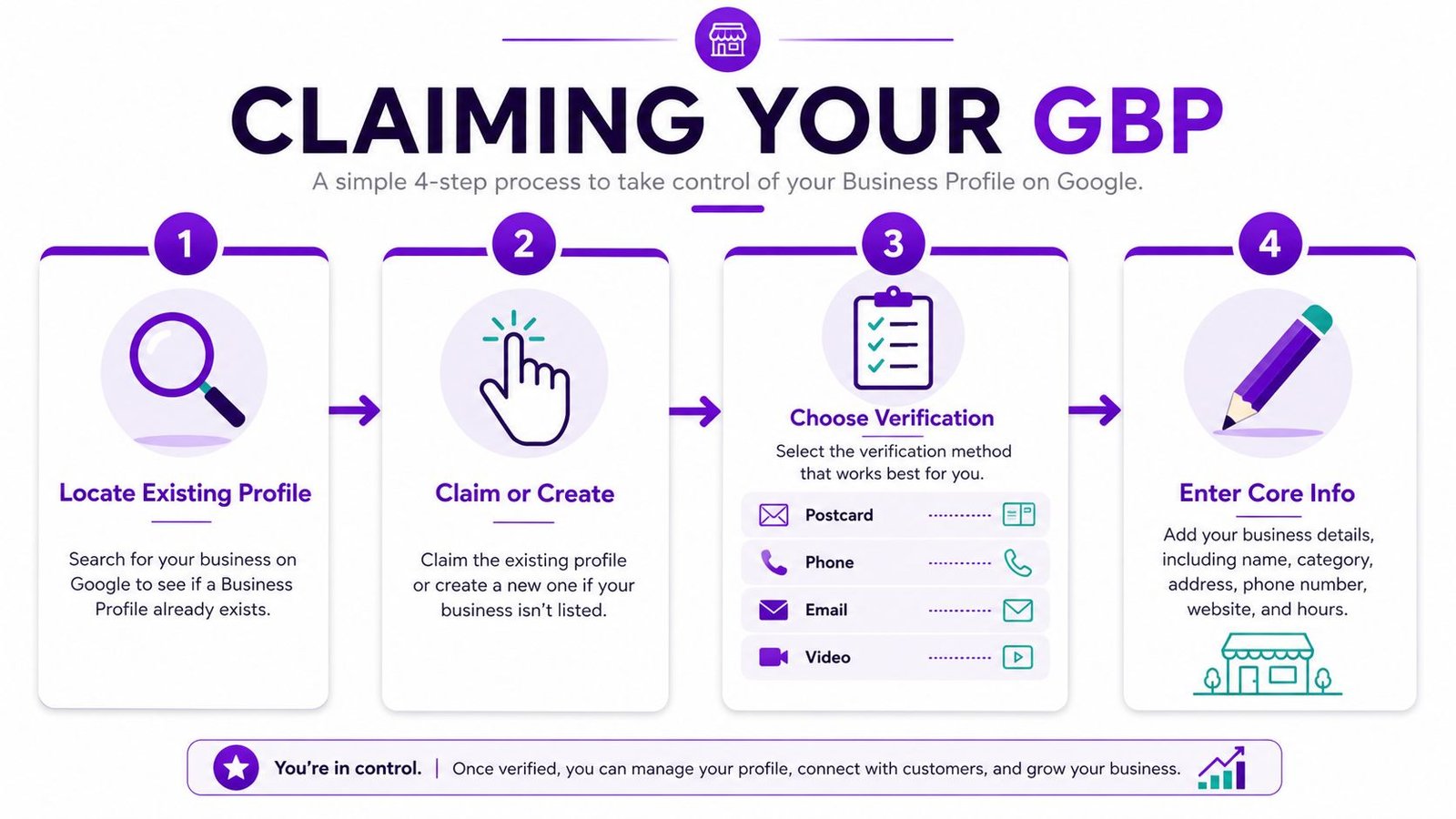
The first 30 minutes matter more than most owners expect. If Google already has a profile for your shop, claim it before building a new one. If it doesn't exist, create it with the exact business name you use everywhere else, then move straight into verification.
Verification is the gatekeeper. A profile that isn't verified is a profile you can't reliably control, and Google says verified businesses are more likely to appear in local search results (Groupon merchant guide). That's why I treat verification as the first real optimization step, not an administrative chore.
Start With the fields Google uses to identify you
The structured record should be clean before you touch anything else: business name/title, address, phone number, website URL, categories, description, images, attributes, and metadata (Moz local business listing components). Enter the core NAP fields first, then the hours, then the website and service contact details. If you're a service-area business, make sure the address decision matches how you operate.
Practical rule: if the profile can't pass a basic identity check, don't move on to bells and whistles yet.
Verification methods vary by account, and businesses may be offered postcard, phone, email, or video verification. The exact method matters less than getting the profile locked down properly so you can edit it without fighting Google for access later. If you're dealing with a messy or duplicate profile, the walkthrough at Rural Ranking Experts' GBP problem guide is the kind of checklist I use when a listing has been mismanaged for months.
For the rest of the setup, keep it boring and exact. Use the same company name, same phone number, same website, and the same hours you publish elsewhere. That consistency is the foundation Google uses to reconcile your identity across Maps, the web, and citation sources.
Choosing Categories That Match Real Demand
Categories are where a lot of good trades underperform. Owners often pick the broadest label they can find, or they choose a category for a service they only do occasionally, then wonder why repair work doesn't surface well. Google can't reward relevance you didn't declare.
Use customer language, not wishful thinking
The best category choices usually come from three places, competitor profiles, Google's own category suggestions, and the words customers use when they're in a hurry. A homeowner doesn't search for a “multi-solution climate services provider.” They search for a plumber, electrician, roof repair, or HVAC repair job that needs handling now. If the category doesn't fit that intent, visibility tends to narrow.
A good category stack for a multi-trade HVAC company often looks simple:
- Primary category: the main service revenue line customers call about most often.
- Secondary category: a closely related offer that's real, common, and easy to fulfill.
- Supporting categories: only when the business performs those services on a regular basis.
Don't let aspirational services crowd out the real ones
The trap is choosing categories for the work you hope to sell someday. That can limit visibility for the jobs you need today, especially repair, install, and maintenance queries. When your category doesn't align with the search, Google has less confidence showing you for emergency and seasonal demand.
I also see this with firms that offer several trades under one roof. The owner tries to make one profile do everything, then categories blur and the map presence gets weaker instead of broader. Keep the category structure grounded in actual demand, not the services you'd like to advertise on a brochure.
The category choice should reflect the service that makes the phone ring, then support that choice with a matching website page and clear service list. If a profile says one thing and the site says another, Google has to work harder to understand the business, and that usually hurts more than it helps.
Configuring Service Areas and Service Lists for Trades
Service-area businesses need a different setup from storefront shops. If customers do not walk in, the address choice should match that reality instead of forcing a public-facing location that does not help the customer. The wrong setup can make a profile look awkward, and it can muddy how Google reads where the business works.
Map the towns you can serve
Google Business Profiles allow service-area businesses to hide the address and select up to 20 service areas (Search Engine Journal on service-area businesses). That helps, but it is not a license to claim an entire region. The same guidance warns against stretching coverage farther than roughly two hours of driving time (Search Engine Journal on service-area businesses). In rural work, that limit matters because long gaps can weaken relevance in the middle of the map.
A better setup starts with the towns that already produce calls, short drive times, and the jobs your crews handle. A plumber serving four nearby towns can usually list the closest ones first, then add the next ring of communities only if trucks go there often. A roofer with a wider rural footprint should be even more selective, because storm-driven demand spreads fast, but ranking strength still needs local proof. I have seen profiles stall in one town because the service area was stretched too far, which is the same pattern covered in this guide on why a plumbing business only shows up in one town on Google Maps.
Make the Services section sound like a customer query
The Services section should mirror how people ask for help, not how your accounting system labels jobs. Write short descriptions that sound like searches, emergency repair, new install, tune-up, water-heater replacement, panel upgrade, or roof leak repair. If the language sounds like a brochure, it usually sounds wrong in Maps too.
For a plumbing company, that might mean separate entries for drain clearing, water heater replacement, and emergency leak response. For a roofer, it could mean storm damage repair, shingle replacement, and inspections after bad weather. The point is to match real intent, not pad the profile with vague service names.
The town setup and the service list should work together. If a town is on your service area list but none of the offered services are specific, the profile feels thin. If the services are specific but the service area is too broad, the profile can look unfocused. A profile built for rural trades needs both pieces to line up.
Building Citations Without Wasting Time
A lot of old citation advice still says to list the business everywhere possible. That sounds thorough, but it's a waste for most trade shops. What matters more is NAP consistency, clean duplicates, and a smaller set of accurate citations that reinforce the same business identity across the web.
Focus on the directories that actually matter
One source explicitly recommends concentrating on the directories that matter most instead of chasing every possible listing (InMoment local business listings). That aligns with what I see in smaller markets. A handful of strong, consistent citations beats a hundred half-finished profiles with mismatched names, old phone numbers, or empty descriptions.
Use the same name, address, and phone number everywhere. If the business moved, merged, or changed lines, clean that up first before building more citations. Duplicate listings are a common source of confusion because they split trust signals and make Google less certain about which record to rank.
The most useful order of operations is simple:
- Lock the Google Business Profile first.
- Fix the website contact details.
- Push the same NAP to the core directories.
- Search for duplicates and close or merge them where appropriate.
Citation Priorities for Trades
| Directory | Why It Matters | What to Verify |
|---|---|---|
| Google Business Profile | Primary map presence and customer actions | Name, phone, hours, services, service area |
| Bing Places | Secondary search visibility | Same NAP and website URL |
| Apple Business Connect | Useful for iPhone users searching nearby | Correct contact data and service area |
| Yelp | Common trust signal for local buyers | Category, phone, hours |
| BBB | Adds credibility in many markets | Business name and contact details |
| Chamber of Commerce or city directories | Local authority and community relevance | Exact business name, address, phone |
The table isn't about chasing quantity. It's about giving Google a tight set of repeated facts it can trust. If the citation set is messy, adding more listings usually makes the mess bigger.
Photos, Reviews, and a Monthly Rhythm
A technically correct profile still loses if it looks abandoned. Customers notice stale photos, thin reviews, and outdated hours, and Google notices when the profile hasn't been touched in a while. The fix is not a giant campaign, it's a rhythm that keeps the listing alive.
Build a routine around real jobs
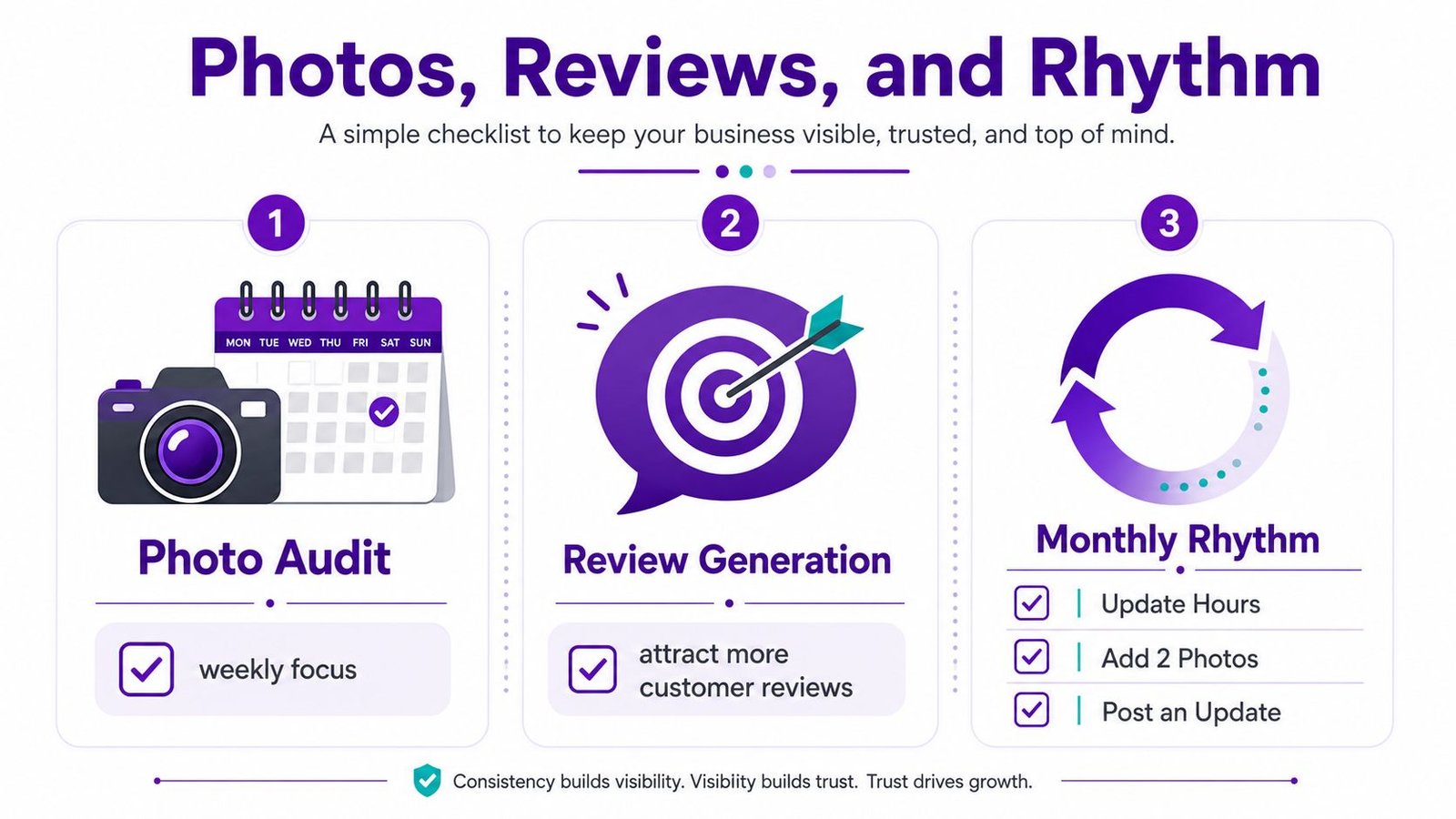
Photos should be real job photos, not stock art. A service truck at the curb, a clean furnace install, a finished roof repair, or a before-and-after water heater swap tells customers more than a polished logo ever will. I'd rather see a steady stream of authentic field photos than one big upload that never gets refreshed.
Reviews need the same discipline. Ask after completed work, especially when the customer is already satisfied and the job is fresh in their mind. Responding matters too, because it shows both the customer and Google that someone is active behind the profile.
Keep the profile current before it drifts
The maintenance issue is where most listings decay. Hours change, seasonal services shift, and a company adds or drops offerings, but the profile doesn't get updated. That's why monthly checks are smart, with a deeper review each quarter for categories, services, photos, hours, and duplicate issues.
Monthly rule: update hours, add a couple of new job photos, and verify the services list before the profile goes stale.
The guidance on keeping updates current is consistent across newer local listing advice, and the broader point is simple, maintenance beats one-time optimization (medium guidance on local marketing opportunities). If you only touch the profile when something breaks, it stops looking active. The businesses that stay visible in Maps usually keep feeding the listing with small, real-world signals.
For a practical benchmark on how to think about map visibility and ongoing profile work, see this Google Maps ranking guide. It fits best with the monthly rhythm mindset, because the profile is never really finished.
Common Listing Mistakes Trades Make and a Fix-First Plan
The biggest mistake I see is not a bad website or a missing citation. It's a bad order of operations. Owners try to perfect the wrong things first, then run out of time before they fix the issues that suppress map-pack visibility.
Fix what changes visibility fastest
Start with the primary category if it's wrong. Then check whether the service area fits how the business really works, especially if the company serves multiple towns without a storefront. After that, clean NAP mismatches on the site and the core directories, then look at review depth and recent photos.
The usual trouble spots are easy to spot once you know where to look:
- Wrong primary category: Google gets the business type wrong, so the profile misses real search demand.
- Hidden or distorted service area: the shop serves nearby towns but doesn't tell Google clearly enough.
- Mismatched NAP: a handful of directories still show old details.
- Thin reviews: the profile looks less active than local competitors.
- Outdated photos: the account feels neglected to customers.
Treat the fix list like a sequence, not a wish list
I'd handle a one-truck plumbing shop in the following order. Category first, because it affects relevance. Service area second, because it shapes town coverage. NAP cleanup third, because it removes conflicting signals. Reviews and photos follow because they strengthen trust after the foundation is right.
If you want a structured outside review, keep the scope tight. A visibility snapshot or a fixed-fee diagnostic can reveal the suppressors without dragging you into a long engagement. That's the kind of work Rural Ranking Experts does for trade businesses in smaller markets, with a focus on Google Maps, categories, service areas, reviews, and the fix-first priorities that matter most.
If your listing isn't pulling calls the way it should, get a second set of eyes on it before you spend another season guessing. Visit Rural Ranking Experts for a practical review of your Google Business Profile, citation setup, and map visibility, then use the findings to fix the issues that are holding your shop back in local search.
Made with Outrank app
[…] useful check from listing local business is whether the asset answers the query in the place Google is testing. If the term is “emergency […]